

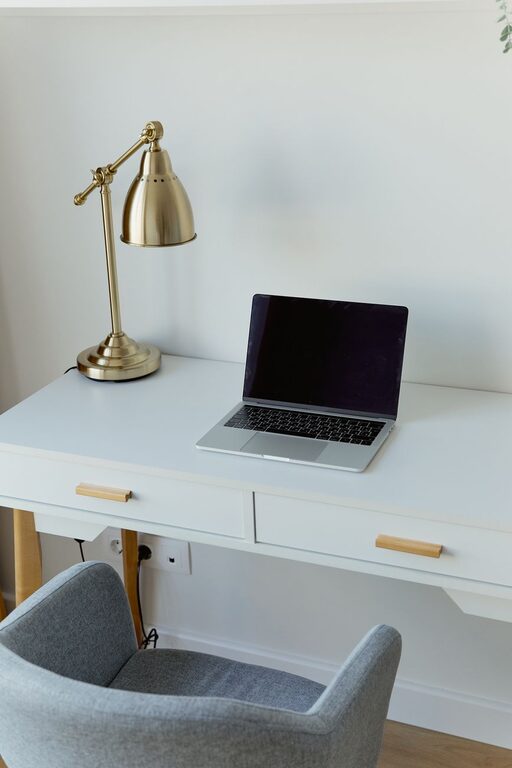
Creating an organized home office is essential for maintaining focus, reducing stress, and increasing productivity. Whether you work remotely full-time or occasionally, having a workspace that is both functional and comfortable can make a big difference in your daily work experience. In this post, we’ll explore simple and practical tips to help you organize your home office effectively.
Why Organizing Your Home Office Matters
A cluttered and disorganized workspace can lead to distractions, inefficiency, and even frustration. On the other hand, a well-organized office promotes better workflow, allows you to find things quickly, and supports a healthier mental state. Comfort also plays a vital role — a space that feels welcoming encourages you to stay motivated and focused throughout the day.
1. Choose the Right Location
Before organizing, consider where your home office will be. Ideally, pick a quiet area with minimal interruptions and good natural light. If possible, avoid spaces with heavy foot traffic or noise, such as near the kitchen or living room. Having a dedicated spot helps your brain associate that area with work, improving focus.
2. Declutter Your Workspace
Start by clearing everything off your desk and shelves. Go through papers, supplies, and equipment, sorting them into three categories:
– Keep: Items you use regularly
– Discard: Trash, broken, or unnecessary items
– Store: Things you need but not daily
Less clutter means fewer distractions and more room to work comfortably.
3. Invest in Functional Storage Solutions
Organizational tools can make a big difference. Some popular options include:
– Drawer organizers: Keep pens, paperclips, and other small items tidy
– Shelves: Store books, binders, and decorative items neatly
– File holders or cabinets: Organize folders and important paperwork
– Desk organizers: For frequently used tools like staplers, phones, or chargers
Choose storage that fits your space and style, keeping essentials close and less-used items tucked away.
4. Optimize Your Desk Layout
Arrange your desk so that your most-used items are within arm’s reach. Place your computer or laptop at eye level to promote good posture. Use a comfortable chair with proper back support to avoid strain.
Consider the flow of your work process. For example, you might want your calendar, notebook, or phone easily accessible to avoid unnecessary movements. Keep the surface tidy by limiting decorations to a few inspiring but non-distracting items.
5. Manage Cables and Electronics
Cables tangled across your desk can create visual clutter and frustration. Use cable organizers, clips, or sleeves to bundle cords neatly. If you have multiple devices, use a power strip that can be hidden behind or under your desk to reduce mess.
Regularly dust and clean your electronics to keep them functioning well.
6. Maximize Lighting
Good lighting prevents eye strain and boosts alertness. Take advantage of natural light by positioning your desk near a window, but avoid glare on your screen.
Supplement with task lighting like a desk lamp that offers adjustable brightness and direction. Soft, warm light creates a cozy atmosphere, while cooler light can help with concentration during intensive tasks.
7. Personalize Your Space Thoughtfully
Adding a few personal touches such as plants, photos, or artwork can make your office feel inviting and motivating. Choose items that inspire you but don’t contribute to clutter.
Plants, for example, improve air quality and add a refreshing element. However, avoid overcrowding your workspace with too many decorations, as this can reduce productivity.
8. Establish a Routine for Clean-Up
Organizing once isn’t enough to maintain a productive workspace. Schedule time daily or weekly to tidy your desk, file paperwork, and restock supplies. Regular maintenance prevents clutter from building up and keeps your space comfortable.
9. Use Digital Tools to Reduce Paper
Whenever possible, shift notes, schedules, and files to digital platforms. Using apps or cloud-based systems minimizes physical paper and helps you find information quickly. Back up important documents regularly to avoid loss.
10. Maintain Ergonomics for Comfort
Ensure your workspace supports healthy posture and reduces fatigue:
– Keep your feet flat on the floor or on a footrest
– Your monitor should be roughly an arm’s length away
– Use an ergonomic keyboard and mouse
– Take breaks to stretch and change positions
Comfort leads to sustained productivity and helps prevent physical discomfort.
—
Organizing your home office doesn’t need to be complicated or expensive. By implementing these simple tips, you can create a workspace that supports your best work while making your day more comfortable and enjoyable. Start small, stay consistent, and adjust your setup as needed to find what works best for you.