

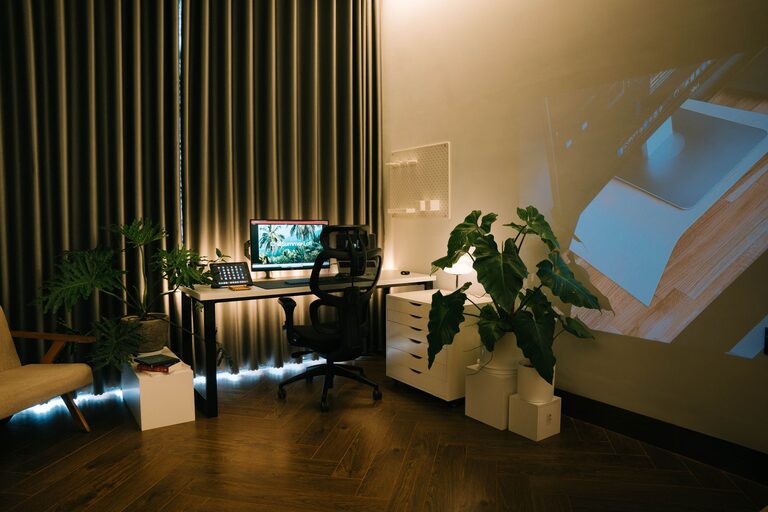
Creating a home office space that strikes the perfect balance between comfort and functionality can significantly improve your productivity and well-being. Whether you work remotely full-time, need a dedicated spot for occasional projects, or just want a quiet place to organize your tasks, designing a workspace that feels inviting and suits your workflow is key. Here are some useful tips for turning any corner of your home into a cozy and efficient home office.
Choose the Right Location
Consider Natural Light
Where you set up your home office matters. Choose a spot that gets plenty of natural light if possible. Natural light boosts mood and focus, helping to reduce eye strain. Position your desk near a window, but avoid glare on your computer screen.
Find a Quiet Corner
Pick an area with minimal distractions if you want to stay focused. This might mean a separate room or a quiet nook away from high traffic areas like the kitchen or living room.
Invest in Comfortable and Functional Furniture
Select an Ergonomic Chair
An ergonomic chair supports good posture and reduces fatigue. Look for adjustable features like seat height, lumbar support, and armrests to customize your seating.
Get a Spacious Desk
A desk with enough surface area to hold your computer, essential tools, and some personal touches makes working easier. Consider desks with built-in storage options for added organization.
Organize Your Space Efficiently
Use Storage Solutions
Keep clutter off your desk by incorporating shelves, filing cabinets, or baskets. Label storage bins to quickly find what you need without disrupting your workflow.
Tidy Cables and Electronics
Messy cables can be distracting and unsafe. Use cable organizers, clips, or ties to keep cords tidy and out of sight.
Make It Cozy
Add Soft Textiles
Incorporate rugs, cushions, or a throw blanket to soften the hard edges of office furniture. These touches add warmth and comfort while boosting the aesthetic appeal.
Include Personal Items
Photos, plants, or art can make your workspace feel more inviting. Choose items that inspire and calm you without overwhelming your desk.
Control the Temperature
Keep your office space at a comfortable temperature. Use a small fan, heater, or adjustable thermostat as needed to stay comfortable throughout the day.
Lighting Matters
Mix Natural and Artificial Light
In addition to natural light, use layered lighting—such as a desk lamp and overhead light—to reduce eye strain and maintain a bright workspace in the evenings.
Choose Warm Lighting
Warm or soft white bulbs create a cozy atmosphere that can make long work hours more pleasant.
Design for Productivity
Set Up Zones
If your space allows, create distinct zones for different activities, like a desktop area for digital work and a small table for reviewing documents or brainstorming.
Minimize Distractions
Keep your workspace dedicated to work only. Avoid placing televisions or other distracting items nearby.
Keep Tools Handy
Store frequently used items like pens, notebooks, and chargers within arm’s reach to maintain momentum throughout your workday.
Maintain Healthy Habits
Take Breaks and Move
Design your home office with enough room to stretch or do quick exercises during breaks. Movement supports focus and reduces discomfort.
Practice Good Posture
Position your monitor at eye level and keep your feet flat on the floor. Proper ergonomics prevent strain and promote comfort.
Final Thoughts
Designing a home office that is both cozy and functional does not have to be complicated or costly. With thoughtful choices about lighting, furniture, organization, and personal touches, you can create a workspace that supports your best work and well-being. Take time to arrange your area according to your specific needs, and remember that even small changes can make a big difference in comfort and productivity.
Creating a welcoming and efficient home office space empowers you to work comfortably and stay motivated, no matter where your projects take you. Happy decorating!