

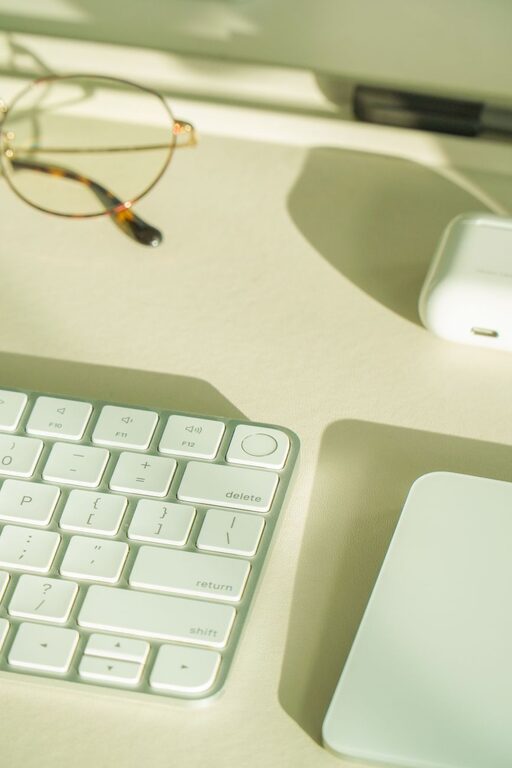
Creating an organized home office is essential for maintaining focus, minimizing stress, and maximizing productivity. When your workspace is tidy and thoughtfully arranged, it supports your workflow and helps you stay motivated throughout the day. Whether you work remotely full-time or occasionally need a dedicated area for tasks, these practical tips will help you organize your home office effectively.
Assess Your Space and Needs
Before diving into organizing, take a moment to evaluate your space and needs:
– Measure your area: Knowing the dimensions helps you choose fitting furniture and storage.
– List your tools and equipment: Include your computer, printer, notebooks, chargers, and other essentials.
– Consider your work style: Do you prefer standing or sitting? Do you need space for brainstorming or meetings?
Understanding these factors ensures your setup supports how you work best.
Choose the Right Furniture
Selecting furniture that fits your space and work habits is key:
– Ergonomic chair and desk: Comfortable seating and an appropriately sized desk reduce fatigue and improve posture.
– Adjustable options: Standing desks or adjustable tables let you switch positions to stay comfortable.
– Storage solutions: Incorporate shelves, filing cabinets, or drawer units to keep supplies organized.
Invest in quality pieces that invite you to be productive for longer periods.
Declutter Your Workspace
A cluttered desk can be a big distraction. To keep things tidy:
– Keep only essentials on the desk: Pens, a notebook, your computer, and frequently used items.
– Use organizers: Desk trays, pen holders, and cable organizers help keep items in place.
– Regularly purge unnecessary items: Set aside time weekly or monthly to clear out papers and unused supplies.
Simplifying your workspace clears mental space too.
Optimize Lighting
Good lighting enhances focus and reduces eye strain:
– Maximize natural light: Position your desk near windows if possible.
– Use layered lighting: Combine overhead lights with desk lamps for even illumination.
– Choose adjustable lamps: Task lighting that can be directed as needed improves comfort.
Natural and well-planned artificial light can influence mood and efficiency.
Establish Zones for Different Tasks
If space allows, create zones within your office for specific activities:
– Work zone: Your primary desk area for computer and paperwork.
– Meeting zone: A small table or seating area for calls or collaboration.
– Storage zone: Shelves or filing cabinets for reference materials and supplies.
Defining zones keeps you organized and mentally prepared for different types of work.
Manage Cables and Electronics
Electronics are essential but can add clutter:
– Use cable organizers and clips: Keep cords tidy and reduce tangling.
– Label cords: Helps with easy identification and troubleshooting.
– Limit the number of devices on the desk: Store rarely used electronics away.
Managing your tech setup makes your workspace cleaner and safer.
Personalize Thoughtfully
Adding personal touches can make your office inviting, but keep it balanced:
– Choose a few meaningful items: A small plant, a photo, or artwork can brighten the space.
– Avoid overcrowding: Too many decorations can create distractions.
– Incorporate motivational elements: Quotes or a vision board to inspire focus.
Personal touches should enhance your environment, not overwhelm it.
Keep Supplies Accessible and Organized
Having what you need within reach saves time:
– Use drawer dividers: Sort small items like paper clips, sticky notes, and pens.
– Label storage containers: Quickly find documents and supplies.
– Regularly restock essentials: Keep a checklist to avoid running out during busy periods.
An organized supply system supports smooth workdays.
Implement a Filing System
Paperwork can pile up quickly if not handled:
– Go digital when possible: Scan and store documents to reduce paper clutter.
– Use labeled folders: Sort by project, client, or date for quick retrieval.
– Schedule weekly filing sessions: Stay up to date so paperwork doesn’t accumulate.
A consistent filing routine promotes order and ease.
Maintain Your Space Daily
Organization is an ongoing process:
– Spend 5-10 minutes daily tidying up: Put away items and prepare for the next day.
– Reassess your setup periodically: Adapt your space as your needs change.
– Stay mindful of habits: Avoid letting clutter build up by addressing it promptly.
Daily maintenance keeps your home office efficient and pleasant.
—
By thoughtfully organizing your home office environment, you can create a space that encourages focus and productivity. Applying these tips will help you design a workspace tailored to your preferences, supporting your success no matter where you work.